
- やさしい日本語
- ひらがなをつける
- Language
We provide multilingual content through machine translation. Translation accuracy is not 100%. About the multilingualization of the JAC website






- Home
-
When a bulletin board becomes unavailable
JAC Members
Update date: 2025/11/27
Release date: September 29, 2023
When a bulletin board becomes unavailable
We may suspend the bulletin board function if there is inappropriate behavior when using the bulletin board, such as not submitting a request to change overseas recruitment information despite the information having changed (continuing to post old information).
What to do when the bulletin board is no longer available
If you would like to resume using the bulletin board function, please follow the steps below.
Step 1.
Display the "Overseas Recruitment Information Registration Application" screen
1-1. Display the "Overseas Recruitment Information Registration Application" screen
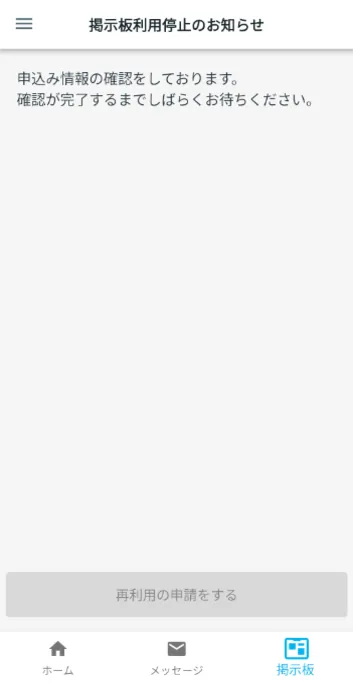
On the "Notice of suspension of bulletin board use" screen, check the details of the suspension and tap [Apply for reuse].
The "Overseas Recruitment Information Registration Application" screen will be displayed.
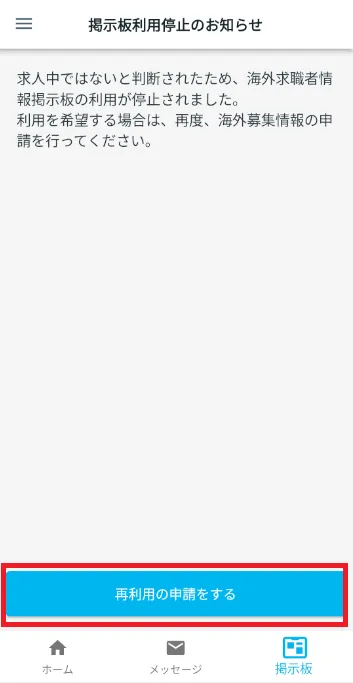
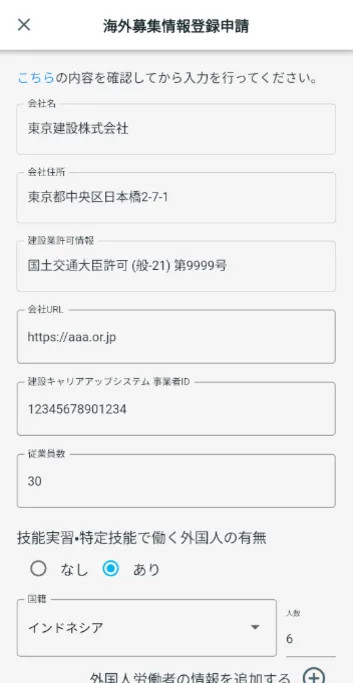
Step 2.
Enter your information
2-1. Enter information
Previously registered overseas recruitment information will be displayed.
If there is an item you want to change, tap it and enter the information.
Scroll the screen to see all the information.
Once you have finished checking and updating your information, scroll to the bottom of the screen and tap Next.
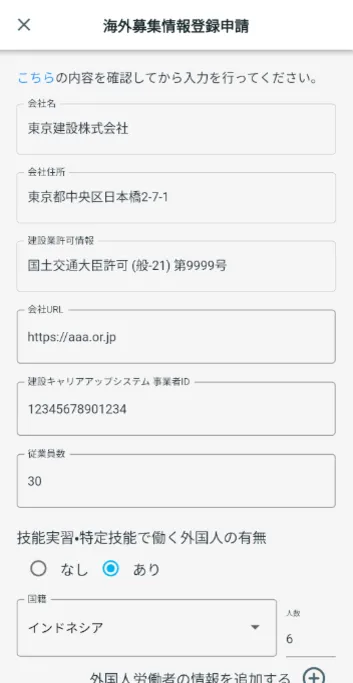
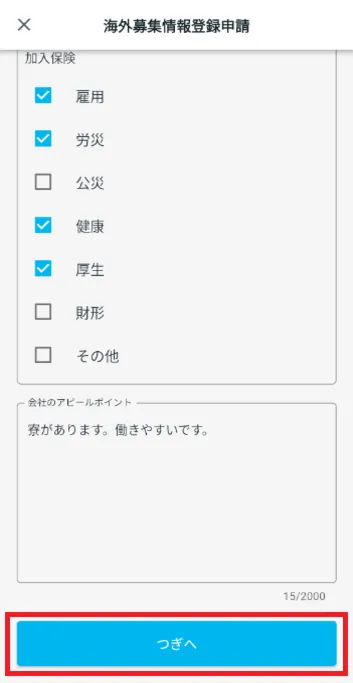
Step 3.
Check the application details
3-1. Check the displayed content
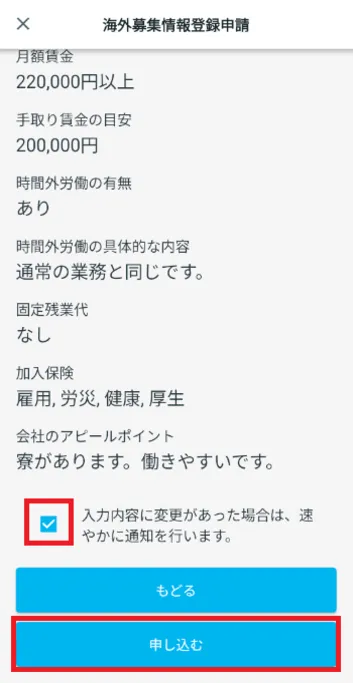
Verify that the information you entered is correct.
If the details are correct, tap [Apply].
I was able to re-apply for overseas recruitment information registration.
If you want to edit the content, tap [Back].
The "Notice of suspension of bulletin board use" screen will be displayed again.
(This screen will be displayed until JAC approves your application.)
Step 4.
Completion of re-registration of overseas recruitment information
4-1. Confirm that your re-registration of overseas recruitment information has been approved by JAC
Once your application for overseas recruitment information registration has been approved, you will receive a message from JAC.
This completes the re-registration of overseas recruitment information.
*When JAC checks the details of your overseas recruitment application, it may make corrections if necessary.
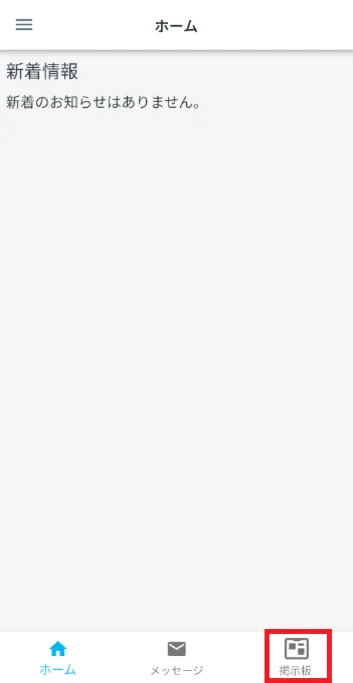
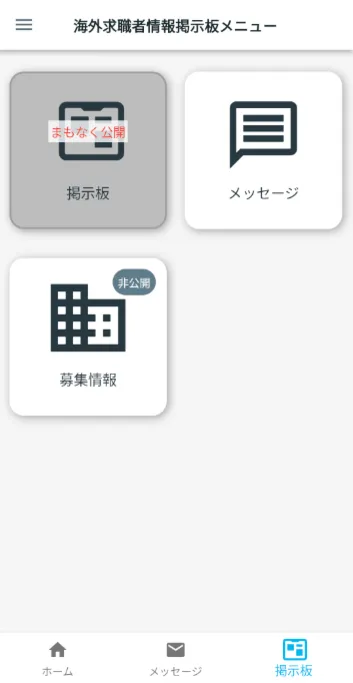
When you tap "Bulletin Board" on the bottom menu bar, the "Overseas Job Seeker Information Bulletin Board Menu" screen will be displayed.
*At this point, the overseas recruitment information you registered is set to "private."
Please see the link below for information on how to re-open your overseas recruitment information.
Making overseas recruitment information public or private 3-1. Making overseas recruitment information public
Frequently Asked Questions (FAQ)
- Where can I install the "JAC Members" app?
- I forgot the password I registered for the "JAC Members" app.
- I have a new smartphone. Can I still use the "JAC Members" app?
- Is there a way to send a message to JAC using the "JAC Members" app?
- I would like to use my residence card to "apply for a change of device." What should I do?
- How do I delete my account?
- A "Supported Version Change Notification" dialog box appears on the app screen. What should I do?
- What should I do if I don't know where the files I downloaded using the "JAC Members" app are saved?
- What should I do if I don't know where the files I downloaded from "My Page" are saved?
- What should I do if I am unable to submit an application and a dialog box appears stating "You cannot submit a new application because you have already applied for the following."?
Index
- For Japanese construction companies
- For foreigners living in Japan
- For foreigners living abroad
For Japanese construction companies
Account registration and basic operations
Use of overseas recruitment information bulletin board
* Applications for issuance of pass certificate The Specified Skills Evaluation Exam or for events (seminars, Japanese courses, etc.) are only open to foreigners.
For foreigners living in Japan
Account registration and basic operations
For foreigners living abroad
Account registration and basic operations
Find Japanese companies (overseas recruitment information bulletin board)

- 0120-220353Weekdays: 9:00-17:30 Saturdays, Sundays, and holidays: Closed
- Q&A
- Contact Us